

One connected school — office, classroom and home.
Run admissions, attendance, fees and exams in one place, give teachers their time back, and keep parents informed while it still matters.
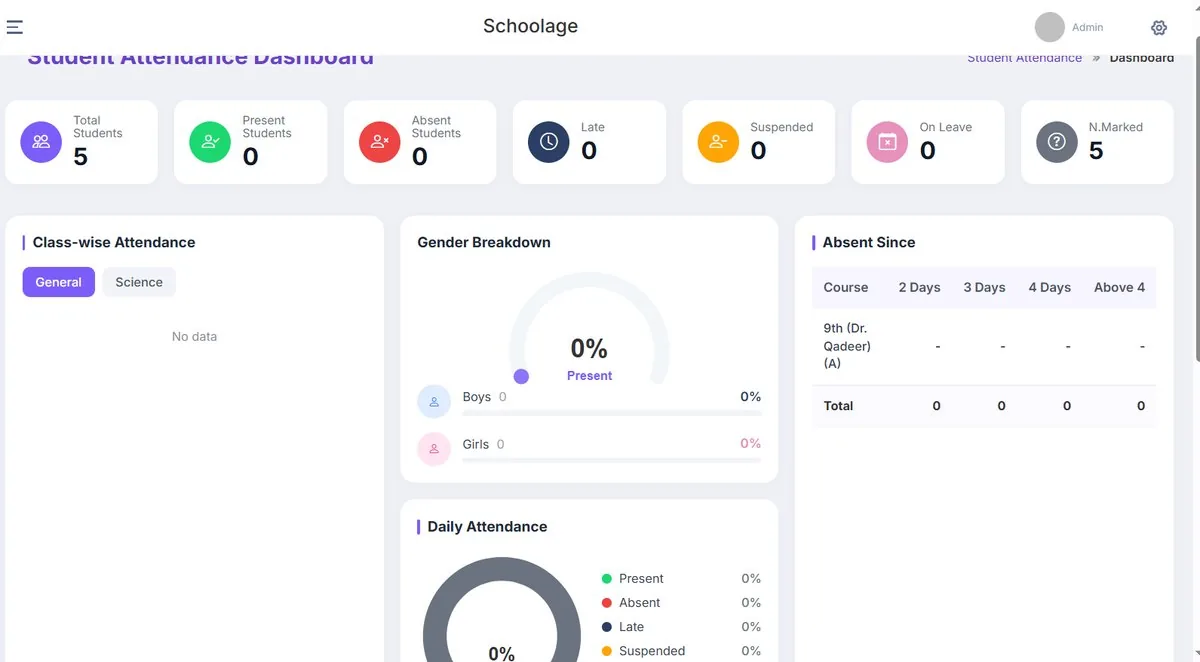
Everything a school runs on, connected.
Operations
Admissions, attendance, fees, HR and finance in one system.
Campus ERPAcademics
Curriculum mapping, lesson plans, rubrics and report cards.
AI AcademicsParents
Attendance, fees and results sent automatically on WhatsApp and SMS.
CommunicationTeachers
Less admin, consistent marking and practical AI support.
AI CapabilityStudents
Early support when they struggle, and insight beyond marks.
Student InsightsWhat changes for a school.
- Registers, then re-typing into Excel
- Calling parents about overdue fees
- Report cards typed each term
- Parents hear about problems at term end
- Attendance synced automatically
- Reminders and reconciliation built in
- Report cards generated from the gradebook
- Same-day updates to parents
Automation for the jobs that eat the week.
Early-warning flags
Attendance, fees and grades cross-checked to flag at-risk students.
Auto report cards
Board-ready report cards from the gradebook.
Clash-free timetables
Teacher load and rooms balanced automatically.
Parent assistant
Routine questions answered instantly on WhatsApp.
Already using another system? You don't have to start from zero.
Student records, fee history and staff data are migrated from spreadsheets or your previous system by our onboarding team as part of setup.
Nothing is thrown away — we keep a backup of your originals so nothing is lost in the switch.
- Data mapping from your current fields to Schoolage
- Migration plan agreed before anything moves
- Students, staff and users migrated with the right roles
- Academic structure set up: programs, classes, sections, batches
- Validation with your team before go-live
- Integration planning and launch support
Includes data migration and role-based staff training.
- Single campus2–4 weeks
- Multi-campusScoped in discovery
- UniversityScoped in discovery
Questions institutions ask
How long does implementation take?
Most single-campus schools are live in 2–4 weeks, including data migration and staff training. Multi-campus and university rollouts are scoped individually during discovery.
Can we migrate our existing data?
Yes — student records, fee history and staff data from spreadsheets or another system are migrated by our onboarding team as part of setup, and we keep a backup of your originals.
Will our teachers and staff receive training?
Yes. Training is role-specific — a front-desk admissions officer learns what they need, not the whole system. Most staff are comfortable within their first week of daily use.
Can different users get different permissions?
Yes. Access is role-based: a teacher sees their classes, a parent sees their child, finance sees fees, and leadership sees across campuses.
How is our data handled?
Student and financial data is encrypted at rest and backed up regularly, access is role-based, and hosting is configured to match the data-residency requirements of your institution or board. Final security architecture is confirmed with your IT team before go-live.
Can we start small and expand?
Yes. Many institutions start with the operations they need most and add modules, campuses or solutions later. Terms are confirmed during your demo based on campus size and modules.