

Every campus on one system. One view for the group.
Standardise how your campuses run, see performance across the network in real time, and govern growth without losing local flexibility.
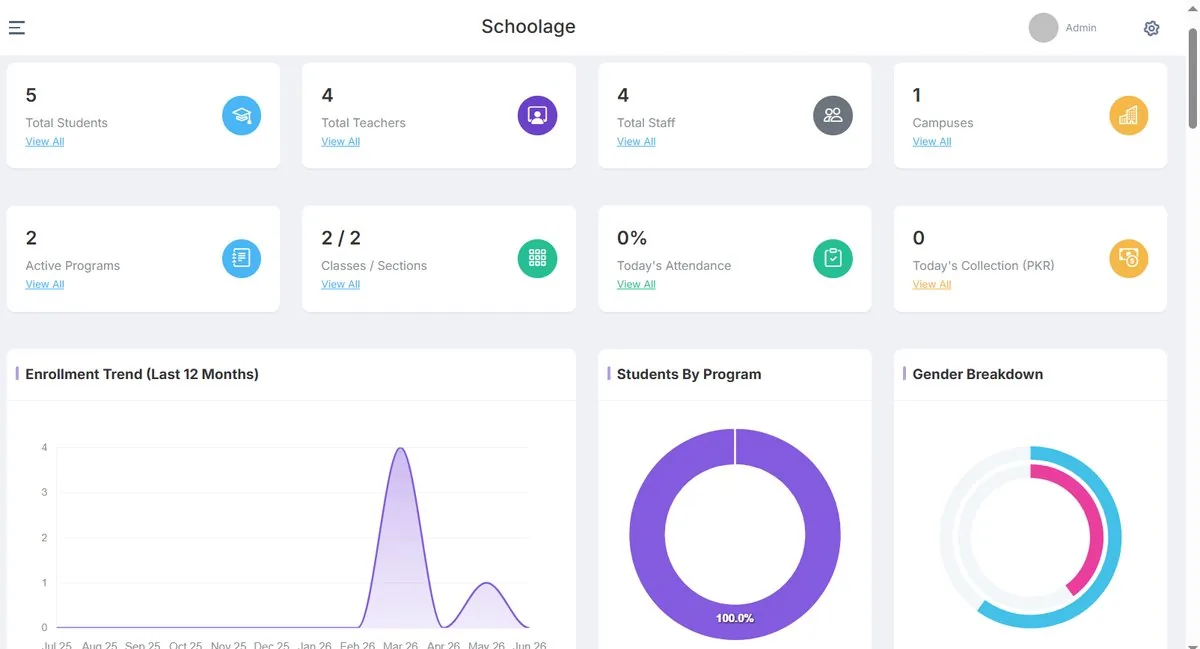
Built for running many campuses as one.
Multi-campus
Every branch on the same system, with its own day-to-day.
Standardisation
Shared academic calendar, rubrics and processes across campuses.
Governance
Role-based access from group office to classroom.
Reporting
Enrolment, collection, attendance and results across the network.
Group visibility
Live comparison between campuses, with drill-down to any one.
Consistent where it matters. Flexible where it should be.
Set group-wide standards — academic calendar, grading rubrics, fee structures, reporting — while each campus manages its own classes, staff and daily operations.
- A B+ means the same thing on every campus
- New campuses start from the group template
- Group office sees exceptions, not just totals
- Group leadership — every campus
- Campus principal — their campus
- Department heads — their department
- Teachers — their classes
Start with one campus. Scale with confidence.
- 01
Discover
Map how each campus runs today.
- 02
Standardise
Agree the group template.
- 03
Pilot
Go live on one or two campuses.
- 04
Roll out
Bring remaining campuses on in waves.
- 05
Govern
Review group-wide adoption and results.
A team that has rolled out across campuses.
Implementation lead
Owns your plan from discovery to launch, and is your single point of contact.
Data & migration specialist
Maps, moves and validates your records with your team.
Training & adoption
Trains each role on what they need, and reviews adoption after go-live.
Questions institutions ask
Can it support multiple campuses?
Yes. Each campus runs on the same system, and leadership gets one view across every branch with drill-down to campus level.
Can different users get different permissions?
Yes. Access is role-based: a teacher sees their classes, a parent sees their child, finance sees fees, and leadership sees across campuses.
How long does implementation take?
Most single-campus schools are live in 2–4 weeks, including data migration and staff training. Multi-campus and university rollouts are scoped individually during discovery.
Can we migrate our existing data?
Yes — student records, fee history and staff data from spreadsheets or another system are migrated by our onboarding team as part of setup, and we keep a backup of your originals.
Can we start small and expand?
Yes. Many institutions start with the operations they need most and add modules, campuses or solutions later. Terms are confirmed during your demo based on campus size and modules.
How is our data handled?
Student and financial data is encrypted at rest and backed up regularly, access is role-based, and hosting is configured to match the data-residency requirements of your institution or board. Final security architecture is confirmed with your IT team before go-live.